
- Company
-
Products
Products
New ProductCloud Server
Fully managed virtual server infrastructure. Setup in minutes, hourly billing and expert support so you can focus on your business.
Try Now -
Solutions
Backup & Security
Data SecurityRansomware & encryptionSilent Ransom: TDEProtection against TDE abuseCloud BackupSecure backup to data centersImage BackupFull disk image + fast recoveryOff-Site BackupOff-site disaster recoveryMobile BackupiOS & Android photos/contactsRansomware ProtectionAgainst ransomware attacksTwo-Factor Auth2FA account security - Plans
- Resources
- Partners
- Blog
How to Back Up Your Mobile Device?
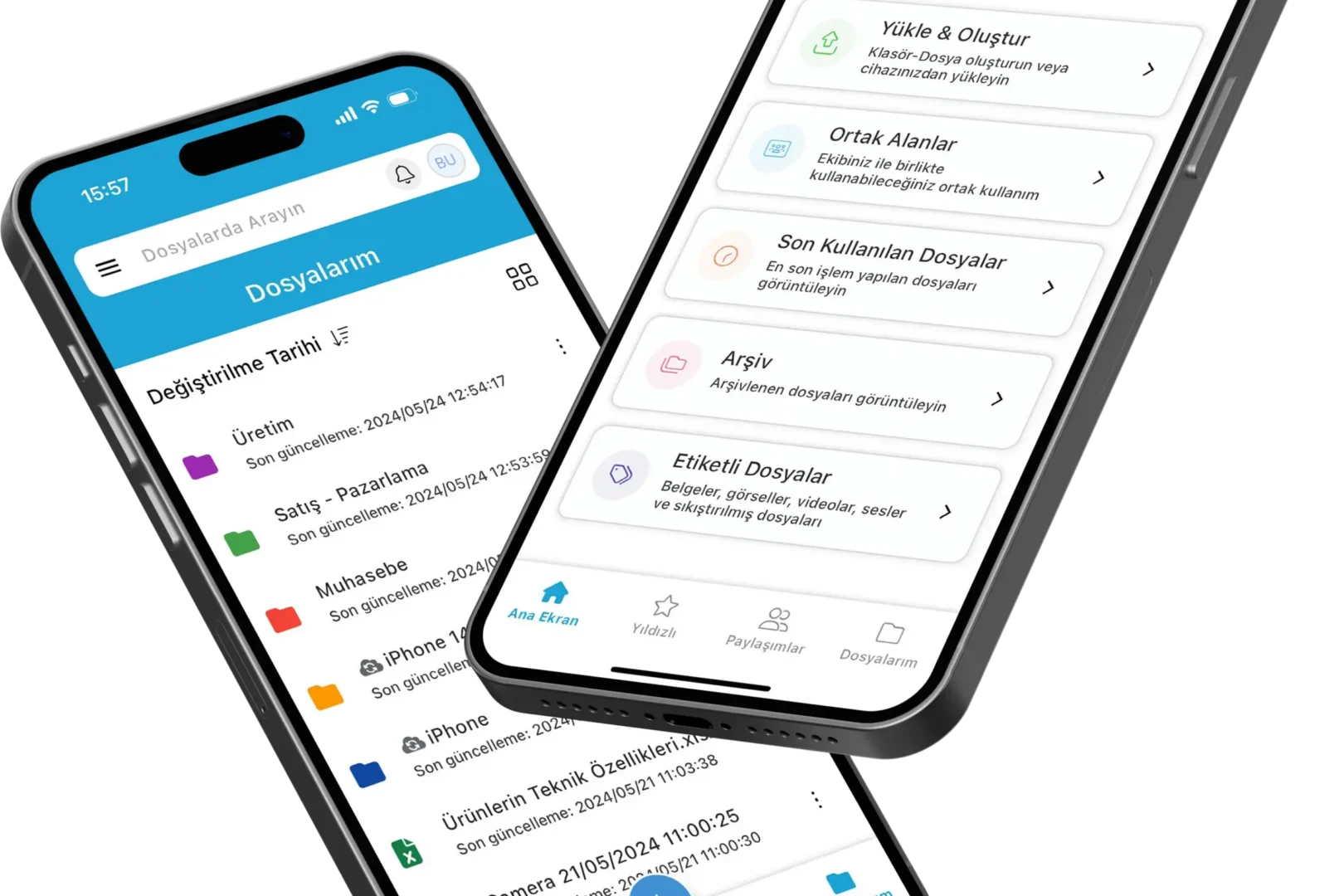
Narbulut Mobile Application
What is Narbulut Mobile App?
Narbulut Mobile; nDocs Workspace It is a mobile application that allows you to create and edit office files in your workspace, share them with your colleagues and work in a common area. Moreover Backup Now and Easy Image Backup It allows you to control the backups you take with its applications and manage them from anywhere. You can also view contacts, photos and videos on your mobile devices. one click backup offers the opportunity.
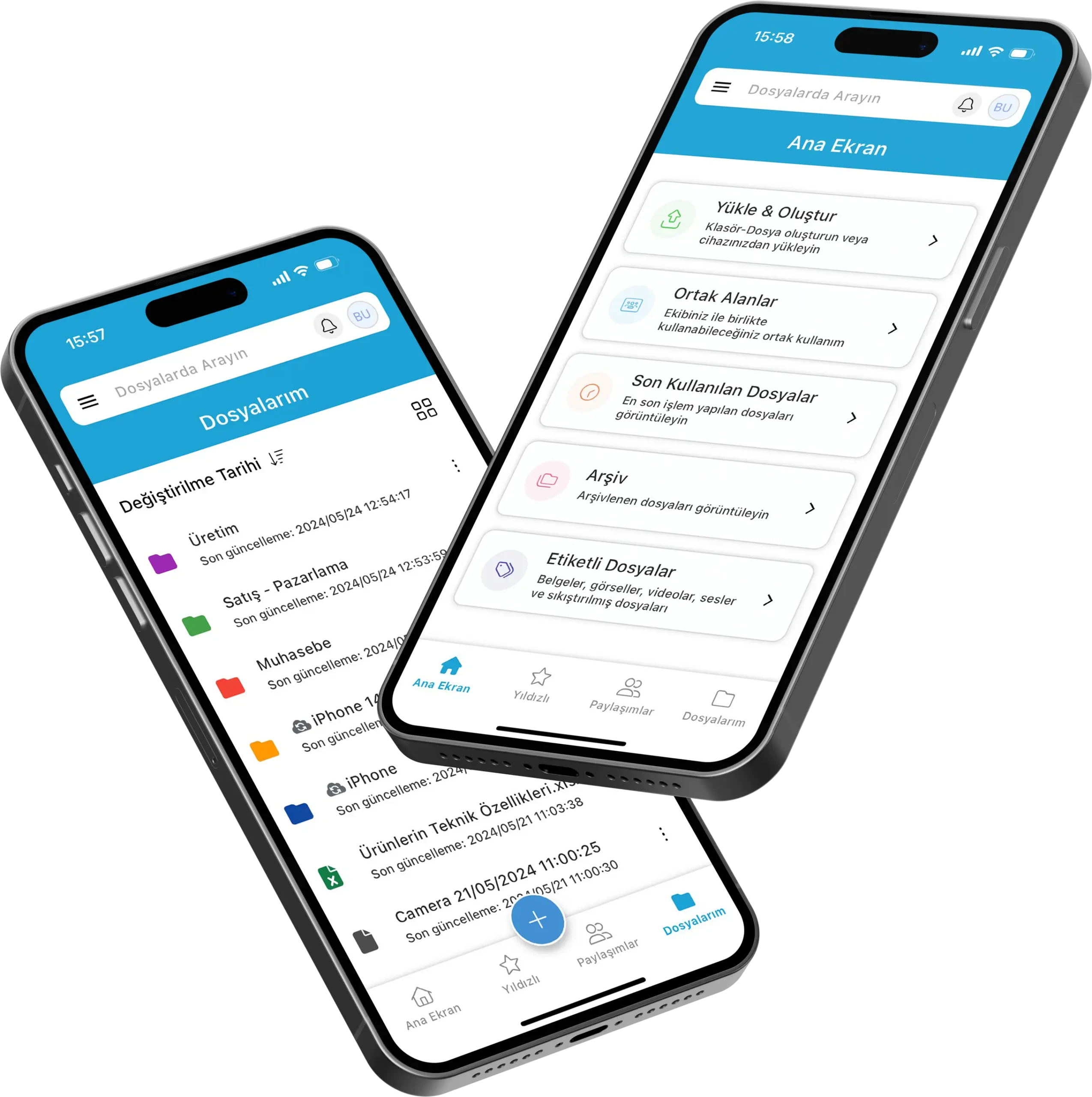
Mobile Device Backup
Mobile Device Backup with Narbulut Mobile App
Narbulut mobile application; It offers its users the opportunity to automatically backup contacts, photos and videos on their mobile devices. To start backing up immediately, follow these steps:
1. Download the mobile app
Narbulut mobile application Android or iOS Download for.
2. Log in or register
Register to the Narbulut system individually or corporately. If you are already using any Narbulut product, you do not need to register, you can log in with your user information.
.elementor-slides .swiper-slide-bg{background-size:cover;background-position:50%;background-repeat:no-repeat;min-width:100%;min-height:100%}.elementor-slides .swiper-slide-inner{background-repeat:no-repeat;background-position:50%;position:absolute;top:0;left:0;bottom:0;right:0;padding:50px;margin:auto}.elementor-slides .swiper-slide-inner,.elementor-slides .swiper-slide-inner:hover{color:#fff;display:flex}.elementor-slides .swiper-slide-inner .elementor-background-overlay{position:absolute;z-index:0;top:0;bottom:0;left:0;right:0}.elementor-slides .swiper-slide-inner .elementor-slide-content{position:relative;z-index:1;width:100%}.elementor-slides .swiper-slide-inner .elementor-slide-heading{font-size:35px;font-weight:700;line-height:1}.elementor-slides .swiper-slide-inner .elementor-slide-description{font-size:17px;line-height:1.4}.elementor-slides .swiper-slide-inner .elementor-slide-description:not(:last-child),.elementor-slides .swiper-slide-inner .elementor-slide-heading:not(:last-child){margin-bottom:30px}.elementor-slides .swiper-slide-inner .elementor-slide-button{border:2px solid #fff;color:#fff;background:transparent;display:inline-block}.elementor-slides .swiper-slide-inner .elementor-slide-button,.elementor-slides .swiper-slide-inner .elementor-slide-button:hover{background:transparent;color:inherit;text-decoration:none}.elementor–v-position-top .swiper-slide-inner{align-items:flex-start}.elementor–v-position-bottom .swiper-slide-inner{align-items:flex-end}.elementor–v-position-middle .swiper-slide-inner{align-items:center}.elementor–h-position-left .swiper-slide-inner{justify-content:flex-start}.elementor–h-position-right .swiper-slide-inner{justify-content:flex-end}.elementor–h-position-center .swiper-slide-inner{justify-content:center}body.rtl .elementor-widget-slides .elementor-swiper-button-next{left:10px;right:auto}body.rtl .elementor-widget-slides .elementor-swiper-button-prev{right:10px;left:auto}.elementor-slides-wrapper div:not(.swiper-slide)>.swiper-slide-inner{display:none}@media (max-width:767px){.elementor-slides .swiper-slide-inner{padding:30px}.elementor-slides .swiper-slide-inner .elementor-slide-heading{font-size:23px;line-height:1;margin-bottom:15px}.elementor-slides .swiper-slide-inner .elementor-slide-description{font-size:13px;line-height:1.4;margin-bottom:15px}}
Previous slide
Next slide
3. Start backup
Start backing up your gallery and phonebook contacts.
Contact Backup
Switch to the mobile backup menu. Start your phonebook backup by granting the relevant permissions.
Previous slide
Next slide
Gallery Backup
Switch to the mobile backup menu. Start your gallery backup by granting the relevant permissions.
Previous slide
Next slide
4. Access your backups from anywhere
Access your mobile backups from anywhere via the narbulut web panel.

